


I use medical apps differently from entertainment apps: I want clear information, sensible limits, and a trustworthy starting point when I am trying to understand a health question. Mayo Clinic fits that role. It is a free medical app from Mayo Clinic, designed to put the organization’s health expertise within reach while I am away from a computer. It has been available since Apr 18, 2013, and its current version is 14.8 for devices running iOS 11 or later.
My overall impression is that Mayo Clinic is most useful as a health-information reference, not as a replacement for a doctor, diagnosis, or urgent care. That distinction matters. The app can help me prepare better questions, understand familiar medical terms, and find practical background information. It is less suitable when I need a personalized answer based on my complete medical history or an immediate clinical decision.
What the Mayo Clinic app is really for
The app belongs to the medical category and comes from Mayo Clinic, a developer whose name is closely associated with clinical information. In everyday use, I see it as a portable reference shelf: something I can open when I want to read about a symptom, condition, treatment topic, or general wellness concern in language that is easier to follow than a research paper.
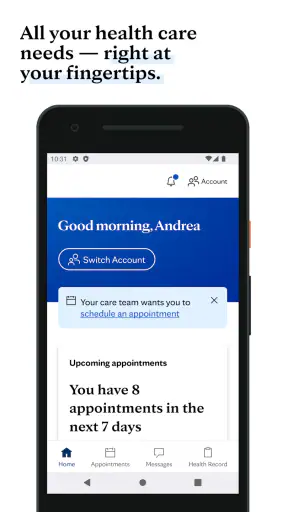
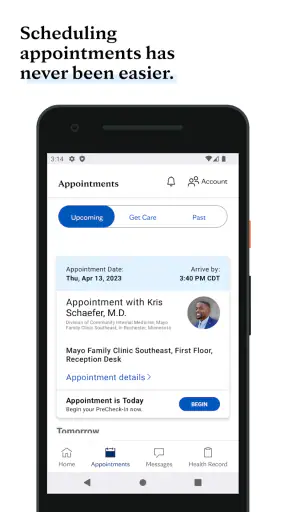
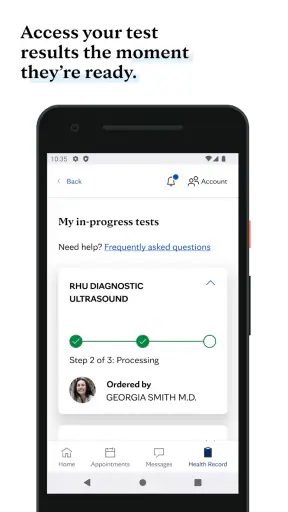
That positioning separates it from several common alternatives. A general web search gives me a huge range of sources, but it also forces me to judge which pages are reliable. A symptom checker may be faster for a narrow question, but it can make a long list of possible causes feel more alarming than helpful. A patient-portal app is better for appointments, test results, and messages with a care team, while a telehealth service is designed around speaking with a professional. Mayo Clinic serves a different purpose: it helps me learn before I decide what kind of care or conversation I need.
The app is rated for Everyone, which makes its intended audience broad. That does not mean every health topic is suitable for every age or situation. Medical information still needs context, especially when symptoms are severe, changing quickly, or affecting a child, older adult, or person with a complex condition. I treat the age rating as an accessibility signal, not as a promise that every health decision can be handled independently.
Its reach is substantial, with over one million installs and an average rating of 3.7 from around twelve thousand ratings. I would read those figures as evidence that many people find a reason to keep the app available, while also remembering that a middling average usually means the experience will not satisfy everyone equally. In my view, the app’s usefulness depends more on what I expect from it than on the rating alone.
How I use it during an ordinary health question
A realistic example is a weekend when I notice a symptom that is uncomfortable but not obviously an emergency. Instead of searching random phrases and jumping between advertisements, I can use the app to build a basic understanding of the topic. I would note the wording used for the condition, read the general explanations, and write down questions to ask a clinician if the issue continues.
The important workflow is not simply “look up a symptom and accept the first answer.” I use the information to organize my thinking. I compare the description with what I am actually experiencing, pay attention to warnings about seeking care, and avoid treating a general explanation as a personal diagnosis. That makes the app more valuable as a preparation tool than as a self-treatment tool.
A second useful situation is preparing for an appointment. Before speaking with a doctor, I can review unfamiliar terms and make a short list of details that may matter: when something began, whether it is getting worse, what makes it better, and which questions I want answered. The app does not replace the appointment, but it can make the conversation less confusing and help me avoid forgetting the basics.
I also find this kind of reference useful when a family member mentions a diagnosis I do not recognize. Reading a plain-language overview can help me understand the broad subject without immediately turning to social media discussions or unverified personal stories. I would still ask the treating professional about the specific case, because two people with the same label can have very different circumstances.
Where the free price creates real value
The price is free, so there is no purchase decision to weigh before trying it. That is its clearest financial advantage. I can keep a reputable medical reference available without committing to a subscription or paying for an individual explanation. For occasional users, that matters: an app opened only when a health question appears can still justify its place on a phone when access costs nothing.
Free access also makes it practical for a cautious first step. If I am unsure whether a topic deserves a routine appointment, I can gather basic background first and then decide what to do. The value is not that the app eliminates healthcare costs; it is that it may reduce confusion before I use those services.
I would not describe the app as a way to receive free personalized medical care. The verified price tells me that access to the app itself is free, not that examinations, consultations, prescriptions, tests, or treatment are included. That distinction prevents a common misunderstanding. If I need an answer about my own medication, a diagnosis, or a serious symptom, I still need an appropriate healthcare professional or urgent service.
Because the app is free, I judge it mainly by the time it saves and the clarity it provides. If it helps me replace five scattered searches with one focused reading session, that is meaningful value. If I already have a trusted patient portal and a clinician who answers questions directly, its added value may be smaller. The app is most worthwhile as a complementary reference, not as the center of my healthcare routine.
Strengths that matter beyond the store summary
One strength is the authority of a single medical source. I do not have to begin with a blank search page and immediately sort through commercial pages, discussion boards, and dramatic headlines. That reduces the mental work involved in finding a sensible starting point. I still read critically, but the first step feels more controlled.
Another strength is its usefulness before and after a clinical visit. Before an appointment, it helps me identify vocabulary and formulate questions. Afterward, it can help me revisit general explanations when I forget what a term means. This two-stage use is more practical than treating it as a one-time symptom search.
A less obvious benefit is emotional discipline. Health searches can quickly become overwhelming because every symptom seems connected to many possibilities. A focused medical reference can keep me from relying on the loudest or most frightening result. It does not remove anxiety, but it gives me a better structure for deciding what information is relevant and what needs professional attention.
I also appreciate the trade-off between breadth and personalization. A broad medical reference can cover many topics without requiring me to enter a detailed personal profile. That may feel less tailored, but it also means I am not mistaking a generic result for a clinical assessment. For me, that limitation is safer than an app that sounds overly certain about an individual diagnosis.
Limitations and points of friction
The biggest limitation is the gap between reliable general information and personal medical advice. Even an excellent explanation cannot know my examination findings, full history, current medicines, allergies, or test results unless a qualified professional evaluates them. If I use the app as though it were a diagnostic service, I am using it beyond its proper role.
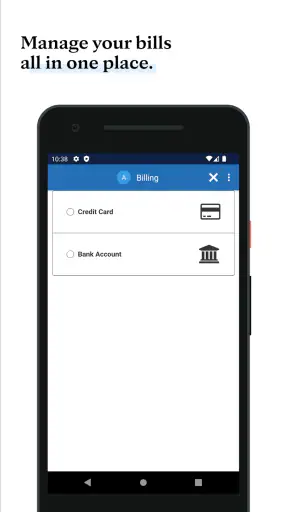
It may also feel too general for people who want an immediate action plan. Someone looking for appointment booking, prescription refills, lab results, insurance details, or secure messaging should look to a patient-portal app connected to their healthcare provider. Someone who wants to speak to a clinician should choose a suitable telehealth or local care option instead. Mayo Clinic is not the best tool simply because the question happens to be medical.
The rating of 3.7 suggests a mixed experience across its audience. I would not assume that every user will find navigation, reading flow, or information discovery equally comfortable. Medical content can also be dense by nature. Even when explanations are written for the public, I may need patience to work through unfamiliar terminology and separate general background from advice that applies to my situation.
Another trade-off is that reading can create false reassurance as easily as unnecessary worry. If a description sounds mild, I might delay care even though my symptoms are unusual or worsening. If I focus on a serious possibility, I might become alarmed without enough evidence. I use the app alongside common-sense attention to severity and timing, not as a final authority.
For urgent symptoms, I would skip browsing and contact emergency services or an appropriate urgent-care provider. The app is not the right first move for severe breathing difficulty, sudden weakness, serious injury, chest pain, or any situation where waiting for more reading could be dangerous. Its value is greatest when I have enough time to learn and prepare responsibly.
Who is likely to get the most from it
I recommend it most to people who want a dependable medical reference on their phone and who are comfortable using general information carefully. It is a good fit for someone preparing for a routine appointment, learning about a newly mentioned condition, supporting a family member, or trying to replace unreliable health searches with a more focused source.
It can also suit students and caregivers who need plain-language background while organizing questions for a professional. The free price lowers the barrier to trying it, and the Everyone rating makes it broadly approachable. Still, caregivers should be especially careful not to apply a general article to another person without considering that person’s age, history, and current symptoms.
I would skip it, or at least avoid relying on it, if my main need is managing an existing care relationship. A provider-specific portal will usually be more relevant for personal records and communication. I would also skip it as my primary tool if I want a medication reminder, a fitness tracker, a symptom diary, or live clinical support. Those are different jobs, and choosing a specialized app may save time.
People who become anxious after reading medical possibilities should use it in short, purposeful sessions. I would start with one question, avoid opening unrelated topics, and write down what I need to ask a clinician. That approach turns the app into a preparation aid instead of an endless cycle of searching.
Practical ways to use it responsibly
My first tip is to define the question before opening the app. “What does this term mean?” is more useful than “What is wrong with me?” The first invites learning; the second asks a general reference to perform a job it cannot safely perform.
My second tip is to keep a separate note of personal details and questions. I would record the symptom’s start, changes, triggers, and relevant medicines rather than trying to remember everything after reading. This makes the app more useful during a later appointment and reduces the temptation to keep searching for certainty.
My third tip is to read warning guidance with the same attention as the general explanation. People often focus on causes and treatments while skipping signs that indicate a need for prompt care. If the information suggests professional evaluation, I treat that as a reason to contact a suitable service, not as an invitation to search for a more reassuring page.
My fourth tip is to use the app for vocabulary, not self-prescribing. Understanding a treatment name can help me speak with a clinician, but I would not start, stop, or change medication based only on an article. The free access is valuable precisely because it supports preparation without pretending to deliver individualized care.
My final decision on its value
For a free medical reference, Mayo Clinic offers worthwhile everyday value when I use it as a calm, credible starting point. I like it for learning, appointment preparation, and replacing chaotic searches with a more focused source. Its developer, Mayo Clinic, gives the app a clear identity, while the broad audience and established presence make it easy to consider as a general health companion.
I would not choose it instead of a patient portal, a clinician, or emergency care. Its limitations are not minor details; they define the correct way to use it. The app can explain general health topics, but it cannot examine me, interpret my complete record, or take responsibility for a personal treatment decision.
My buy-or-skip verdict is simple because the app is free: it is worth trying if I want general medical information and can keep firm boundaries around self-diagnosis. I would skip it if I expect personal care management or instant professional answers. Used with that distinction in mind, it becomes a practical reference rather than a misleading substitute for healthcare.


